
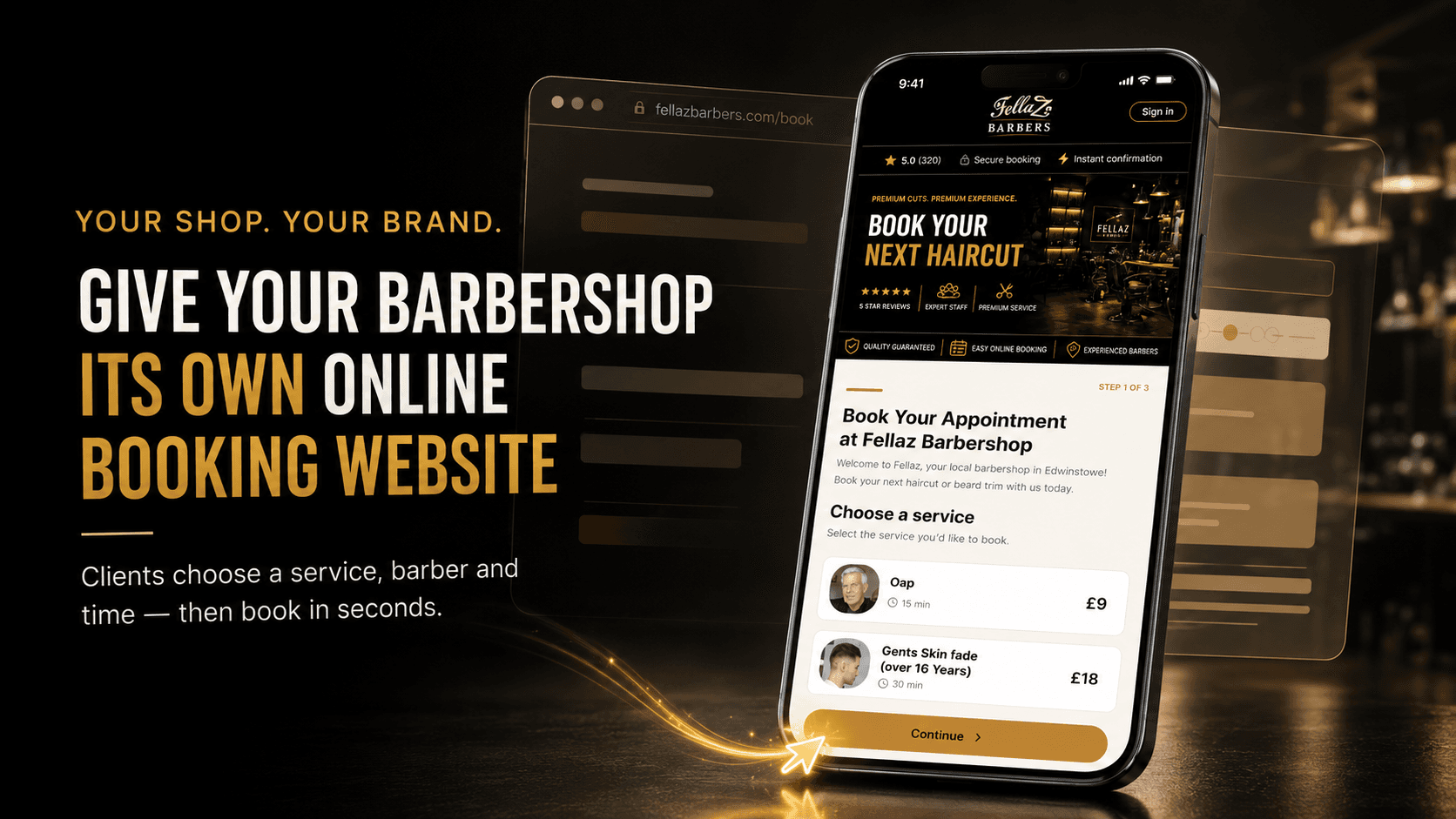
Turn “I need a haircut” into a confirmed appointment
Somebody sees your work on Instagram and they're ready to book — but there's no clear booking link, so they send a message. You're halfway through a skin fade and don't reply for two hours. By the time you answer, they've booked somewhere else. Not because that barber was better — because they were easier to book. A booking website removes that delay: the client taps your link, sees your available appointments and books while they're still interested.
What is a barber booking website?
An online page where clients view your services and book an available appointment. With Encorra, clients:
- 1Open your booking page
- 2Choose the service they need
- 3Select their preferred barber
- 4Pick an available date
- 5Choose a suitable time
- 6Enter their details
- 7Confirm their booking
The appointment then appears inside the selected barber's Encorra calendar — a simple experience for the client, an up-to-date diary for you.
Your own branded barber booking page
Your booking page should feel like part of your barbershop — not a random form somebody found online. It can display:
- Your barbershop name
- Your shop logo
- Your services & descriptions
- Appointment durations
- Service prices
- Available barbers
- Appointment dates & times
- Your booking rules
- Client sign-in
- Your shop's booking link
Designed for mobile clients
Most people book from a phone. Encorra's booking journey is built around quick taps and clear choices — browse services, compare prices, pick a barber, check availability and confirm. No tiny desktop form, no pinching to read the times.
No app to download
Forcing an app download adds a step between interest and booking. Encorra booking pages work in a normal web browser — iPhone, Android, tablet, laptop or desktop. Clients tap your link and book. That's it.
Already have a website? Add a Book Now button
You don't need to replace your site. Add a Book Now button that sends visitors straight to your Encorra booking page — in the header, hero, beside your services, on each barber's profile, in the mobile menu or a sticky mobile bar. Whenever someone feels ready to book, the next step should be obvious.
<a href="https://encorra.net/book/your-shop">Book Now</a>Style it with your brand colours, fonts and button shape. Common labels:
In most cases “Book Now” is clearest — people already understand what it does. Works from WordPress, Wix, Squarespace, Shopify or a custom-built site.
A booking link, not a fragile website widget
Embedded widgets can load slowly, feel cramped on mobile, clash with your theme or break inside social-media browsers. A clear Book Now button leading to a dedicated booking page is usually simpler: the client gets the full experience, your website stays fast, and the booking flow works independently of how your site was built.
| Dedicated booking page | Embedded website widget |
|---|---|
| Full space for the booking journey | Limited by the widget container |
| Consistent on different devices | Can feel cramped on mobile |
| Easy to share anywhere | Usually tied to one website |
| Opens from social media and Google | Primarily works on the main site |
| Less likely to conflict with site code | Can be affected by themes and scripts |
| A simple Book Now link | Requires additional implementation |
No website yet? Share your link everywhere
Your booking page has its own shareable link, so you can take bookings online before building a full website. For many independent barbers, it becomes the most important link they share:
Connect it to Google
People searching Google for a barber are usually ready to book. Connect your page to your Google Business Profile so the journey becomes Google search → your shop → book online → confirmed appointment — and Encorra can track which bookings arrived through Google.
Tip: save a WhatsApp quick reply — “You can see all our available appointments and book here: [your link]” — instead of typing out times that may be gone by the time they reply.
Everything the booking page handles
Show services clearly
Display service names, prices, durations, available barbers and age restrictions — so clients choose the right appointment and you get fewer "how much is it?" messages.
Genuine live availability
Times are calculated from working hours, service duration, existing appointments, breaks, blocked time and holidays — clients pick from slots you've actually made available, no request-and-wait.
Per-barber availability
Each barber has their own hours, days off, services, durations, breaks, holidays and calendar. Picking a barber shows that barber's real schedule, keeping bookings in the right diary.
Control how far ahead clients book
Let clients book months ahead, or release appointments gradually. You set the booking horizon so you never open the diary further than you're comfortable managing.
Family bookings
One parent manages several family members on one account — their own cut, one child, several children or back-to-back appointments — with reminders to the parent.
Client self-service
After booking, clients can review details, cancel within your rules, choose another time, rebook after a closure or claim a waitlist slot — fewer routine messages for your team.
Protection from fake bookings
Email verification, disposable-detail detection, rate limiting, suspicious-IP monitoring and bot protection keep spammers from locking up your best slots. Real clients book normally.
No-show protection
Add card-on-file to selected barbers — ask new clients to save a card, release unconfirmed appointments, charge for no-shows or late cancellations, waive or refund when it's fair.
Confirmations & reminders
On paid plans, Encorra sends SMS and email confirmations and reminders — fewer "what time am I booked?" messages, fewer forgotten appointments and more notice when someone cancels.
Booking page vs booking through messages
| Booking through messages | Encorra booking page |
|---|---|
| Client waits for a reply | Client sees availability immediately |
| Barber checks the diary manually | Available times update automatically |
| Times may be gone when they reply | Client confirms a live appointment |
| Messages arrive while you're cutting | Clients book without interrupting you |
| Service info repeated manually | Services and prices shown online |
| Bookings missed in the inbox | Appointments enter the barber calendar |
| Only works when someone replies | Available 24 hours a day |
| Hard to track where bookings came from | Booking sources can be identified |
Messaging can still be useful — it just doesn't need to be your entire booking system.
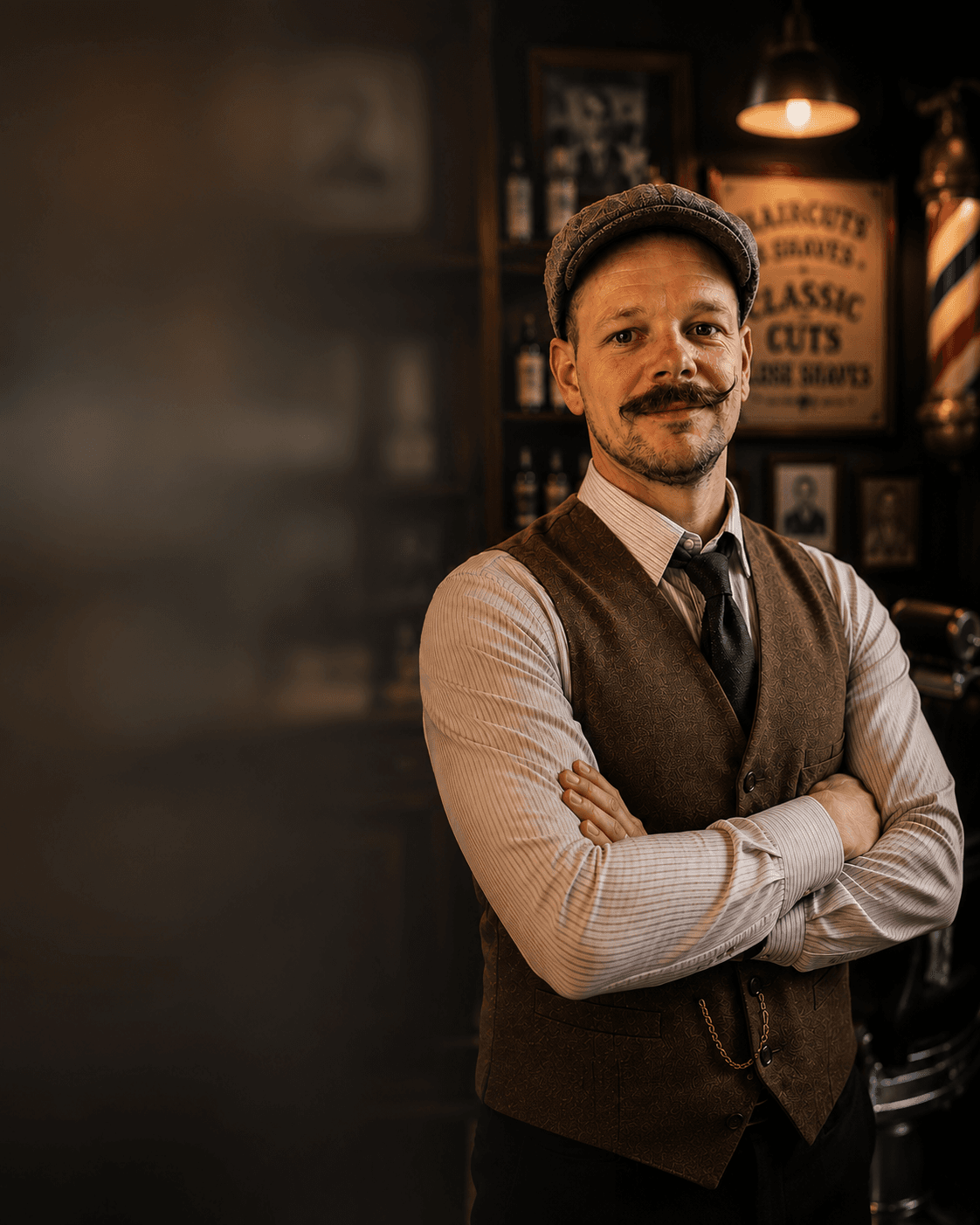
Built by a barber who needed an easier way to book clients
I'm Craig Mariner. I opened my first barbershop at 17 and have spent more than 20 years behind the chair. I know what it's like to have booking messages arriving while you're cutting — you glance at it, tell yourself you'll reply after the haircut, then three clients walk in and the message disappears down the screen. By the time you answer, they've gone elsewhere.
Encorra was built to remove that: one clear place to see the services, choose a barber and secure an appointment. Faster for the client, fewer interruptions for you — and the shop stops losing bookings just because nobody could reply quickly enough.
Start with a free barber booking page
The Free Forever Starter plan gives one barber the essentials to start taking bookings online — an online booking page, barber calendar and client list. It isn't a short trial that turns into a paid subscription; keep using it while it suits your business. Paid plans add SMS & email reminders, the Marketing Agent, Ask Cora AI, analytics, revenue-recovery tools and multi-barber management. See the free barber booking page in detail.
Choose the right Encorra plan
🔥 Launch offer: £10 off every month for your first 2 months
Starter
Free forever
For solo barbers who need the essential booking tools.
- Online booking page
- Barber calendar
- Client list
- One staff member
No long contract — cancel anytime. Also see the barber booking app, the complete barber booking system or how Encorra compares.
How to create your barber booking website
- 1Create your Encorra accountChoose the plan that matches your business.
- 2Add your shop informationEnter the details clients need to recognise your barbershop.
- 3Add your servicesInclude service names, durations and prices.
- 4Add your barbersSet the services and working hours for each team member.
- 5Configure your availabilityAdd breaks, days off, booking rules and time restrictions.
- 6Review the booking journeyCheck the page on mobile and complete a test booking.
- 7Share your linkAdd it to Google, social media, WhatsApp and your website.
Frequently asked questions
What is a barber booking website?
An online page where clients view your services, choose a barber and book an available appointment. It connects the client-facing page to your shop's appointment calendar.
Does Encorra give me a complete website?
Encorra gives you a dedicated online booking page for your barbershop. Use it on its own, or connect it to an existing marketing website with a Book Now button.
Can I use Encorra without having a website?
Yes. Your booking page has its own shareable link — add it to Google, Facebook, Instagram, WhatsApp, emails and QR codes with no separate website.
Can I add Encorra to my existing website?
Yes. Add a Book Now button or link that sends visitors to your booking page. It works with WordPress, Wix, Squarespace, Shopify and custom-built sites.
Can I customise my Book Now button?
Yes. Style the button on your main site to match your colours, fonts and design — it just needs to link to your Encorra booking URL.
Can I use a custom booking domain?
Encorra supports a dedicated booking address, with custom-domain options depending on your setup and plan. Confirm the available options during setup.
Do clients need to download the Encorra app?
No. Clients book from a normal web browser on any device.
Is the booking page mobile-friendly?
Yes. The booking journey is designed to work on mobile phones, tablets and desktop computers.
Can clients choose their barber?
Yes. When several eligible barbers offer the selected service, clients can choose their preferred team member.
Can clients view haircut prices online?
Yes. You can display service names, prices and appointment durations on your booking page.
Does the booking page show live availability?
Yes. Available times are calculated from working hours, service duration, existing appointments, breaks and blocked time.
Can parents book for their children?
Yes. Family Bookings lets a parent manage appointments for several family members on one account.
Can clients change their booking online?
Yes. Encorra supports client appointment management, so eligible bookings can be cancelled or moved according to your rules.
Can I add the booking link to Google?
Yes. Connect your booking page to your Google Business Profile so people can move from Search or Maps to your available appointments.
Can I add my booking page to Instagram?
Yes. Put the link in your bio and share it through stories, posts and direct messages.
Is there a free barber booking page?
Yes. The Free Forever Starter plan includes an online booking page, barber calendar and client list for one barber.
Can I take payments through the booking page?
Encorra supports Stripe connections and card-on-file protection. Available payment options depend on your account configuration and plan.
Can the page help prevent fake bookings?
Yes. Encorra includes email verification, disposable-detail detection, activity limits and suspicious-booking monitoring.
Can I move from another booking provider?
Yes. Supported client information can be imported by CSV when your current provider allows you to export it.
Related guides
Your shop. Your brand. Your online booking page.
Your work convinces someone to choose your barbershop — the booking experience decides whether they follow through. Give them a page that shows your services, your barbers and your real availability, then let them book while they're ready.
No contract. Cancel anytime.