
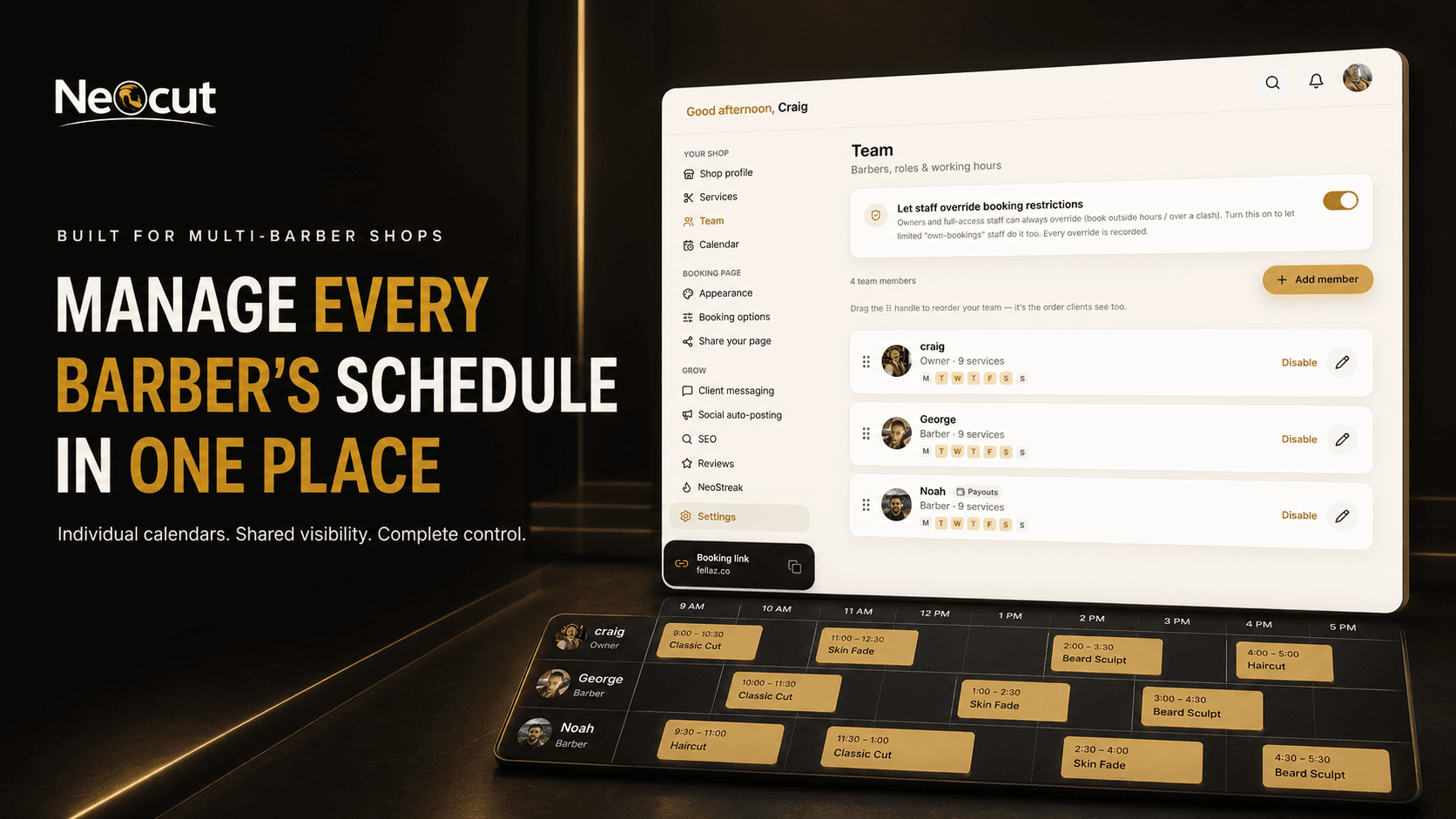
Your team doesn't work one identical schedule
One barber starts early, another works late, someone doesn't work Mondays, one takes a longer break, another only provides selected services. Squeezing everyone into the same calendar rules creates confusion. Encorra builds each barber's schedule around the hours and services they actually work — fewer manual diary changes, fewer clients booking the wrong person, and a clearer view of the whole shop.
See the whole barbershop at a glance
Individual calendars only tell part of the story. Switch between individual schedules or review the wider team, so at any moment you know:
- Who is working today
- Which barber is fully booked
- Who has empty appointments
- Where a walk-in could fit
- Which team member is away
- Whether someone is running late
- Where the next shop-wide space is
You can support a quiet barber, move a suitable appointment or promote availability before the time is lost — no separate app, account or paper diary per chair.
Individual barber schedules in one system
Individual barber schedules
Each barber gets their own working days, start and finish times, breaks, blocked time, availability and calendar. A client won't be offered 6pm if that barber finishes at 5pm.
Services per barber
Not every barber does every service. Assign eligible barbers to each service, so when a client picks a service they only see the barbers who actually offer it.
Correct appointment durations
Duration drives the whole calendar. A 30-minute cut needs a genuine 30-minute space — it won't be pushed into a 15-minute gap just because the start time looks free.
Preferred-barber booking
Clients who want a specific barber pick them at booking; availability is based on that barber's hours, services, existing appointments, breaks and holidays, and the booking lands in the right calendar.
"Any available barber" option
Clients who care more about the time can choose any suitable barber when enabled — showing more choices, distributing new clients and filling quieter calendars.
Roles & permissions
Control what each team member can view or change — their own calendar, other diaries, client info, blocking time, analytics or settings. Owners keep the sensitive areas.
Breaks & blocked time
Add lunch, meetings, training, a school run or an early finish. Clients aren't offered those periods, but the rest of the barber's day stays available.
Holidays & time off
Pick a date range to close a barber's calendar, stop new bookings, find affected appointments, notify clients and send rebooking options — managed as one event, not day by day.
Prevents double bookings
Availability is checked against existing appointments, service duration, working hours, breaks, blocked time, holidays and the assigned barber. Overrides are limited to authorised users and recorded.
Set different working hours for every barber
Your team may work completely different patterns. Configure schedules individually instead of forcing one set of shop hours on everyone — clients then see availability based on the barber they choose:
| Barber | Mon | Tue | Wed | Thu | Fri | Sat |
|---|---|---|---|---|---|---|
| Craig | Closed | 9–6 | 9–6 | 10–8 | 9–6 | 8–4 |
| George | 10–6 | 10–6 | Closed | 10–8 | 10–6 | 9–5 |
| Noah | Closed | 11–7 | 11–7 | 11–7 | 11–7 | 9–4 |
| Geoff | 9–5 | Closed | 9–5 | 9–5 | 9–5 | 8–3 |
Access control & accountability
Limit independent barbers to their own bookings so they can't see the full client list or other diaries — and record important activity. When a client says "I was booked for 2pm," you can review who changed the appointment, when and whether an override was used, instead of guessing.
Keep the diary accurate
Reassign an appointment to another barber (when they offer the service, the time fits and there's no conflict) without deleting and recreating it — client info stays connected. Add walk-ins to the right barber so remaining availability and online booking stay correct.
Balance demand across the team
One barber's diary fills first — often just because clients recognise the name. Encorra shows who has availability, so you can promote a specific barber, offer "any barber" booking, run an availability campaign or steer new clients to open calendars using real availability, not times that have gone.
Payments & protection per barber
Each participating barber can connect their own Stripe account, and no-show protection can be switched on per barber — a new barber can require card-on-file while an established one uses it only for selected clients. The booking stays in the shop's system; the owner keeps control.
Client history connected to the right barber
Records include previous appointments, usual barber, services, visit frequency, total spend, notes, no-show info and predicted return date — so you don't send a regular to someone unfamiliar without checking, and you can spot when one barber's regular has stopped returning.
Understand team performance
See appointments and revenue by barber, available slots, completed services, new and returning clients, no-shows, top services, calendar utilisation and 7-/30-/90-day trends. Not to run the shop like a call centre — to spot who needs more promotion, longer durations, or is ready to add availability.
Staff scheduling software vs separate calendars
| Separate barber calendars | Encorra staff scheduling |
|---|---|
| Different diaries and logins | One connected shop system |
| Hard to see the full team | Shop-wide calendar view |
| Availability checked manually | Suitable times calculated automatically |
| Services may be assigned wrongly | Services linked to eligible barbers |
| Holidays updated in several places | Individual time-off management |
| Client changes passed via messages | Appointments update in the calendar |
| Limited access control | Staff roles and permissions |
| Difficult to track changes | Important activity can be audited |
| Separate payment arrangements | Individual Stripe connections |
| Quiet calendars easily overlooked | Availability can inform marketing |
Employee scheduling vs appointment scheduling
These jobs are related but not identical — and Encorra connects both.
Employee scheduling
Who is working? What hours? When are their breaks? Who is away?
Appointment scheduling
Which client is booked? What service? Which barber? How long will it take?
Staff working hours control appointment availability; appointments fill the individual barber calendars; and the owner sees how the schedule turns into real bookings.

Built by someone who manages a barber team
I'm Craig Mariner. I opened my first barbershop at 17 and have spent more than 20 years behind the chair. Managing my own diary was one thing — managing a team introduced a whole new set of problems: who's working, who's off, which services each person provides, where a walk-in can go, why one barber has a queue while another has spaces, and who moved that appointment.
Encorra was built inside a real barbershop to answer those questions without making the calendar complicated. The goal is simple: give every barber control of their working day while giving the owner control of the business.
Choose the right Encorra plan
🔥 Launch offer: £10 off every month for your first 2 months
Starter
Free forever
For solo barbers who need the essential booking tools.
- Online booking page
- Barber calendar
- Client list
- One staff member
No long contract — cancel anytime. Also see the complete barber booking system, barber booking software or how Encorra compares.
How to set up barber staff scheduling
- 1Add each barberCreate a team profile for every staff member.
- 2Set their working hoursChoose their days, start times and finish times.
- 3Add breaksBlock lunch, meetings and other unavailable periods.
- 4Assign servicesSelect which services each barber can be booked for.
- 5Set appointment durationsMake sure services occupy the correct amount of time.
- 6Choose permissionsDecide which calendars and business areas each member can access.
- 7Add holidaysClose future dates before clients begin booking them.
- 8Connect payments where neededLet participating barbers connect their Stripe accounts.
- 9Test the booking journeyCheck the right barbers and times appear for each service.
Frequently asked questions
What is barber staff scheduling software?
It helps shop owners manage working hours, breaks, holidays and individual staff calendars. Connected to online booking, the schedule determines which appointments clients can choose.
Can every barber have their own calendar?
Yes. Each barber gets an individual calendar with their appointments, hours, breaks and time off.
Can the owner see all barber calendars?
Yes. The owner can access a wider view of the team, subject to the configured account permissions.
Can staff be limited to their own bookings?
Yes. Staff roles can limit barbers to their own calendar and authorised client information.
How many barbers can I add?
The Business plan currently supports up to 5 barbers under one price, with no per-chair fees.
Can every barber work different hours?
Yes. Each barber can have individual working days, start times, finish times and breaks.
Can I assign different services to different staff?
Yes. Services can be connected to eligible barbers, so clients only see suitable team members.
Can clients choose their preferred barber?
Yes. Clients can select a barber during online booking when more than one eligible team member is available.
Can clients choose any available barber?
Yes. An "any barber" option can be enabled, letting clients find availability across suitable team members.
Does Encorra help prevent staff double bookings?
Yes. Encorra checks appointments, service duration, working hours and blocked periods when calculating each barber's availability.
Can I move an appointment to another barber?
Yes. Authorised users can reassign appointments when the replacement barber is available and provides the selected service.
Can I add walk-ins?
Yes. Walk-ins can be added to the right barber's calendar so the team's remaining availability stays accurate.
Can I manage barber holidays?
Yes. Add time off, close those dates to bookings and manage clients affected by existing appointments.
What happens when a barber calls in sick?
Encorra can help identify affected clients, support notifications and provide rebooking options.
Can each barber receive their own payments?
Yes. Encorra supports individual Stripe connections for participating team members.
Can no-show protection be enabled per barber?
Yes. Card-on-file and no-show protection can be switched on for selected barbers rather than the whole shop.
Can I see barber performance?
Yes. Encorra provides appointment, revenue and performance reporting according to your plan and permissions.
Does Encorra include an audit log?
Yes. Important staff actions and overrides can be recorded so the owner can understand who changed the diary.
Can I use Encorra on a phone or tablet?
Yes. Encorra is designed for mobile access on supported phone, tablet and browser experiences.
Do clients need to download an app?
No. Clients book through your online booking page in a normal web browser.
Can I import my existing team and appointments?
Available import options depend on the system you're leaving and what it lets you export; client data can be imported by CSV.
Related guides
One team. One connected schedule.
Every barber works their own hours, provides their own services, manages their own appointments and receives their own supported payments — while the shop still runs as one business. Manage the whole team without managing five separate diaries.
No contract. Cancel anytime.